
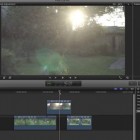
Oct 17, 2011
Aviable Now in MacAppStore
What it is ? – This is a text layer that redirect all own adjusments to any clip below.
How it works ? – download it from Mac App Store ( its free ), follow installer instructions. When installation is success, you will find in Titles RGB HOUSE group, where will be Total Adjusment. Drag this layer above all clips in timeline. When it’s there any adjustment made on this layer will adjust any number of clips below. You can adjust color, color match, transform, crop, disort, and even add other (built in or custom) effects from effects bar.
There is a small tutorial, and DOWNLOAD
Awesome!!! I want it!!!
But I cant find it in any app store!!!
please send me the link or file!!!
Thank you.
Many thanks !
App is waiting for approval in Mac App Store.
Nevetherles tommorrow will enclosure file for download with manual for self install.
The app will do it itself. Also will e-mail when app hit store.
Many more to come in near future.
Regards
Serge
I don’t think any other NLE, including FCP 7, can do this. This is amazing. I’ll be letting my user groups know about it, and write up a review on my blog. Very much looking forward to test driving this puppy.
http://www.fcproxuniversity.com/FCPro_X_University/Extra_Credit/Entries/2011/10/27_Total_Adjustment%2C_An_Effect_Unique_To_FCP_X.html
Just Downloaded it! can’t wait to use it!
Doesn’t seem to work: downloaded it and nothing happens in FCP or Motion. Nor does the download link to the tutorial above here work!
Just downloaded FCP X and Motion with mountain lion.
Any help would be appreciated.
Hi,
This is a kind o Motion project just double click this icon with T.
In FCP the container should be in MotionTemplates.localized (special folder) in Titles subfolder. Becouse its free i’ll prepare kind of installer to download later on and let You know.
At last try to publish as a template anything from Motion and localized folder will be created with some subfolders, then put Total in Titles.
Good Luck.
An installer would be great Serge.
I did publish a Motion ‘test’ template that ended up in FCP under the generators tab. But I’m not sure what to copy where
Hi, it seems like a cool thing, but I cannot open in FCP X. There is no RGB House Title folder in FCP, when I download and open the program. I tried to unpack it, but nothing leads to have it into FCP X. Please help, I am eager to use it. Thx Co
Hi, try to describe step by step.
Right click on app and reveal contents.
Dig in to Total Adjustment folder look inside. Inside should be
large.png
Total Adjustment.moti
Media(folder)
small.png
Put that all in folder Motion Teplates/Titles/RgbHouse/Total Adjustment/Total Adjustment.moti
Folder Motion Templates must have localized extension (Motion Templates.localized)
Remember that motion file should be .moti sometimes has other ends but titles should be moti
Hi Serge,
I am having some trouble with this product. Could you please provide an email address to reach you on for support?
Thank you,
Jason.
Hi, I think the answers are in already in other comments.
But how can I help?
True, there are very good answers in the other comments! I hope you don’t mind me asking one further question.
I downloaded your excellent product last year, and it made a film I was working on look absolutely brilliant.
I have only just now re-opened that FCPX project, because I wish to re-export it.
However, in the meantime, the RGB effects folder has disappeared from my FCPX – I think my friend deleted it when he was using my computer!
I have re-installed the effect, but it is not being picked up/recognised by the project. Wherever the effect is applied, I get the horrible red error screen that FCPX shows.
The film runs for about 60 minutes, and I have only used the effect intermittently on 50% of the footage. Therefore, if I were to manually reapply the effect, it would take a very long time and be extremely tedious!
I was wondering if you can suggest how I would do this more quickly?
Thank you for your assistance!
Jason.
Serge -
I really like this adjustment layer thing you built.
I am not certain that I have installed it right into FCP X
This is how I did it:
I copied large.png,Total Adjustment.moti, small.png & an empty folder I created & named Media into:
Motion Templates/Titles/RGB House/Total Adjustment —–
Is that it? I mean it seems to be working as in your above video. I did NOT create/name a folder with an extension “.mti
Is that right?
Thanks,
P
Remember Motion templates should have extention – localized and the file should have moti extention.
That it.
Hi all, I have downloaded Total Adjustment and think I almost have it right. The icon shows up under my ‘Titles’ browser within FCPX however instead of seeing the small display picture above the words ‘Total Adjustment’ I see a red box with a dotted outline of a capital ‘T’ and a triangle containing an exclamation mark. Im thinking this is the missing media type of screen. What can I do to get this corrected? I dont have Motion 5 so I tried installing without. I have installed, removed, and then installed again still with the same result. Thanks for any help!
Sorry for answer delay.
But there is new app in update. Download it and reinstall all should be fine. App will install plugin automaticly.